TutorFlow
TutorFlow is a service for creating teaching materials and running online classes. Create courses, videos, simulations, and assessments, then track learner progress in your classroom.
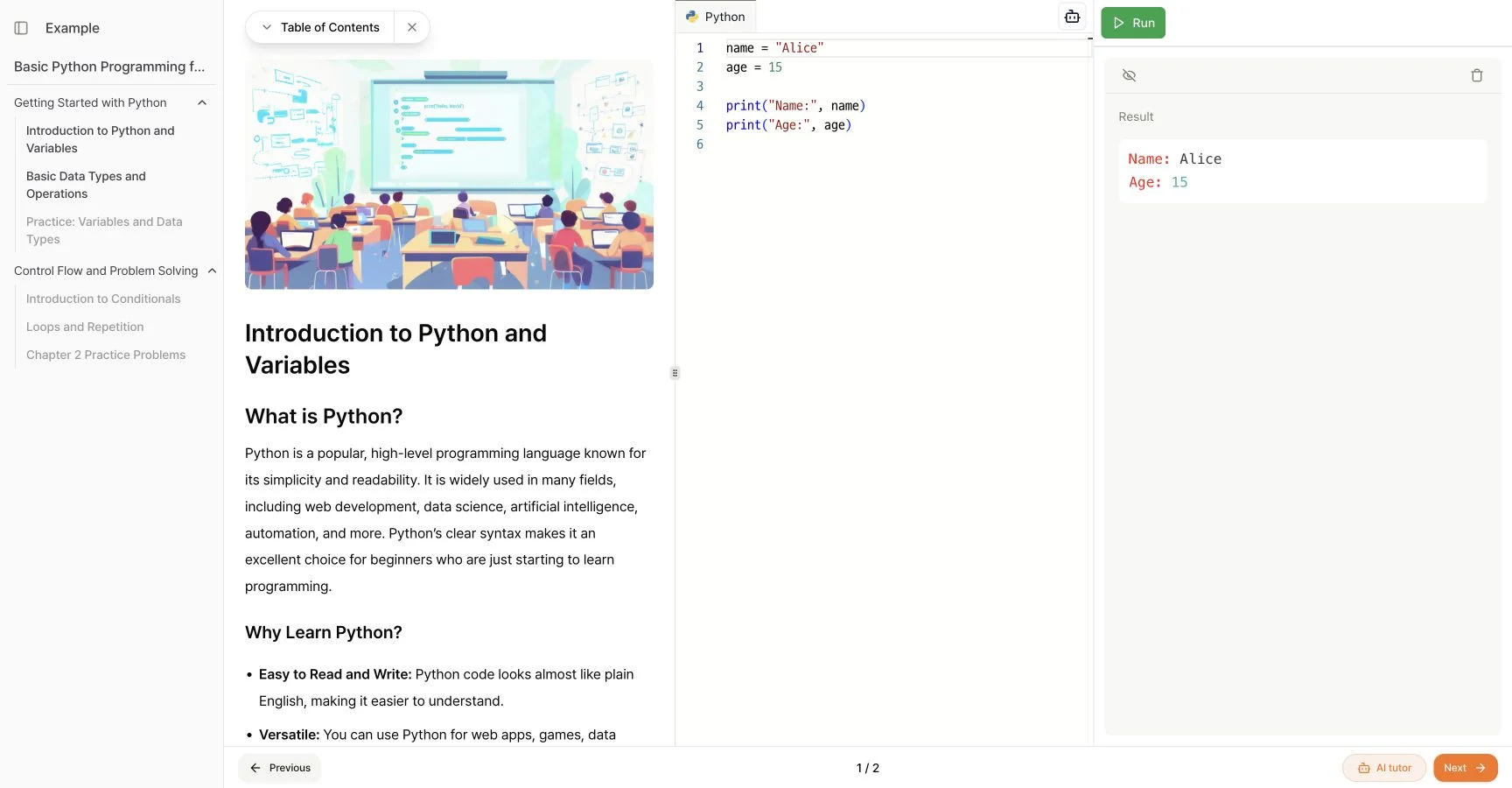
Lessons and coding practice in one screen
Add activities such as coding practice or spoken language exercises to your lessons.
Students can read a lesson and write, run, and debug code in the editor beside it. No separate development tools are needed.
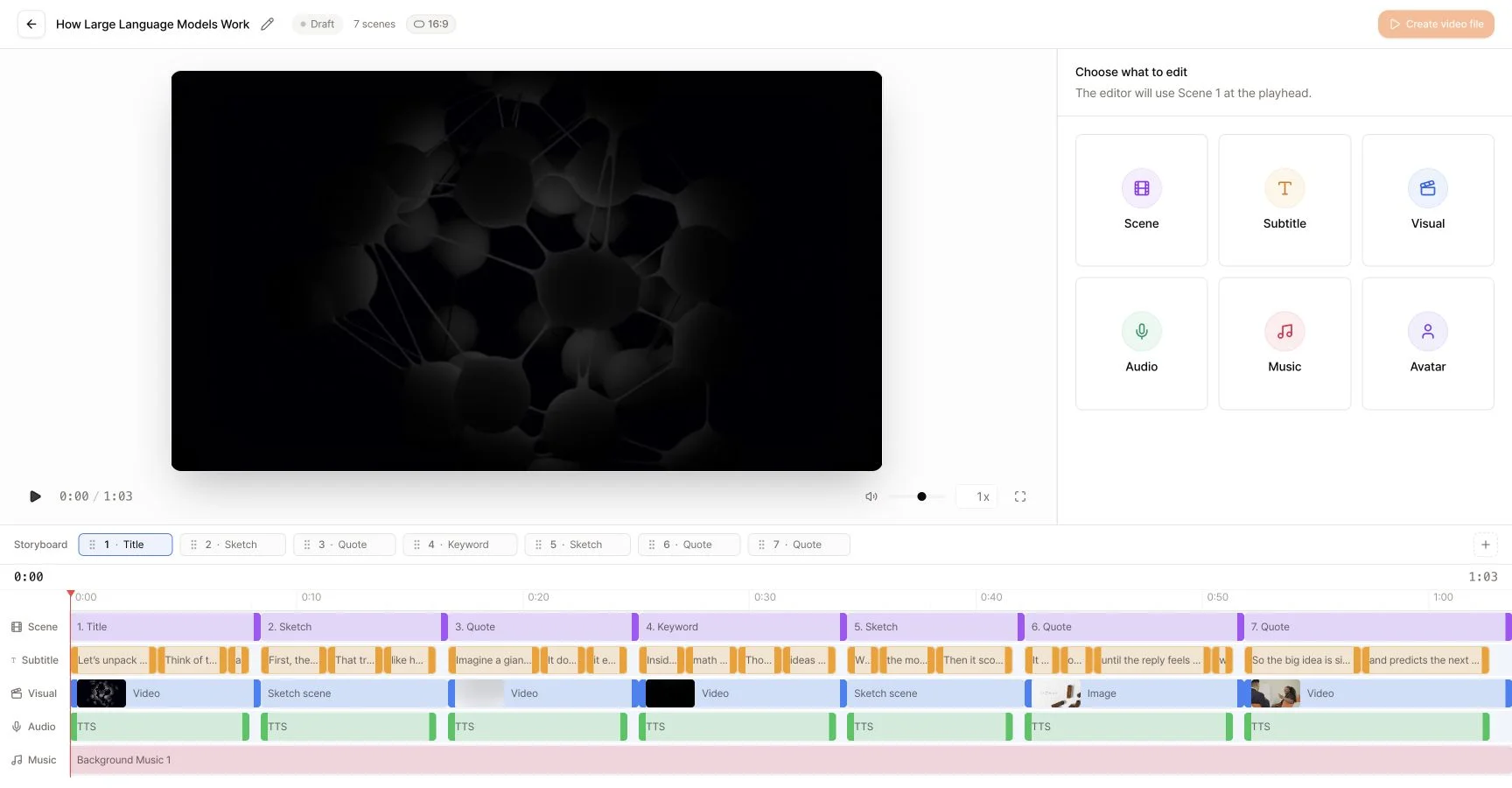
Make videos for your lessons
Describe what the video should explain, then create it in landscape or portrait format. Edit scenes, characters, narration, and subtitles to fit your lesson.
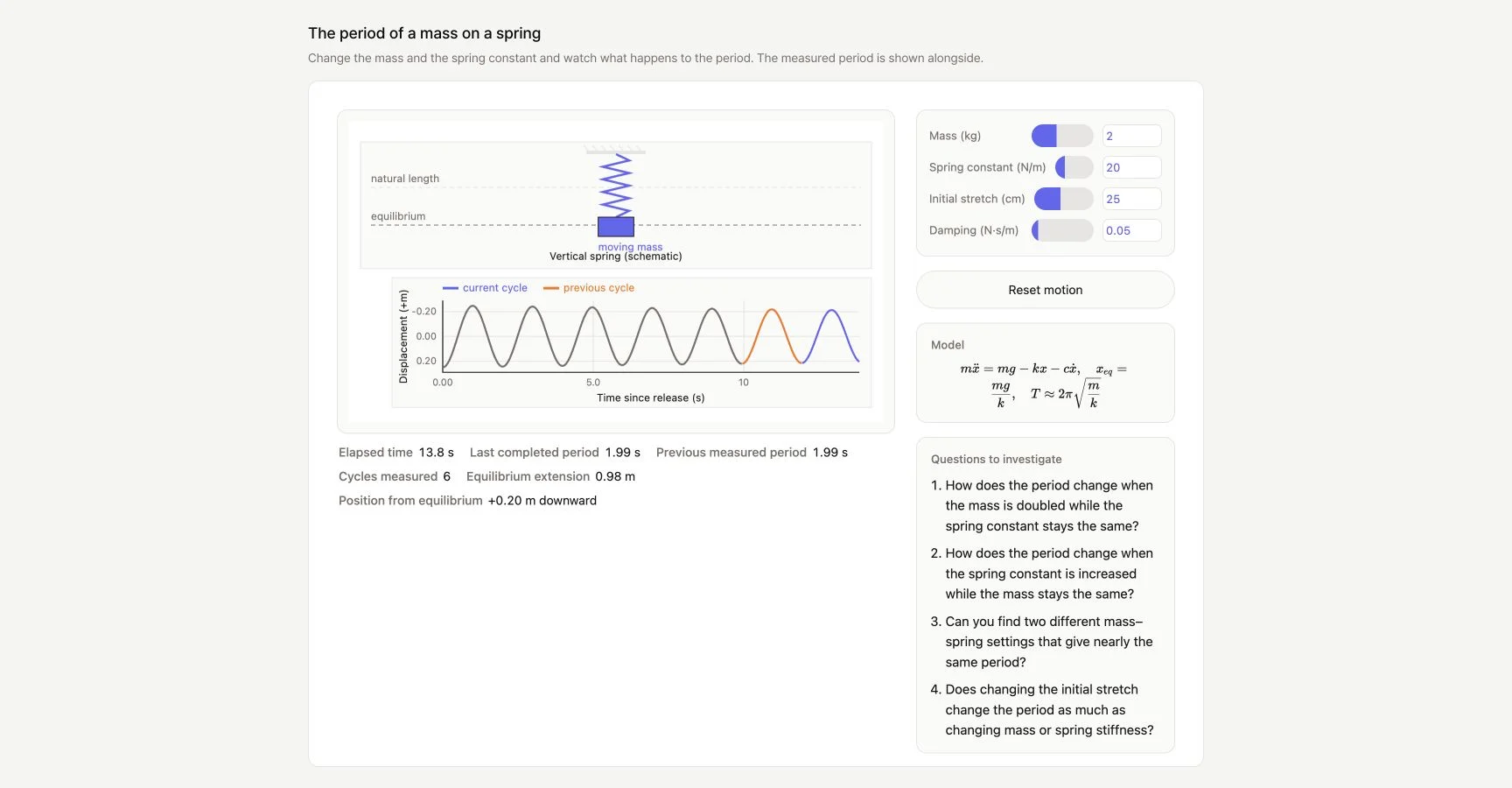
Create simulations students can control
Describe the concept you want to teach, then review the calculations and layout. In the spring example below, students can adjust the mass and spring stiffness to see how the motion and graph change.
Set up and manage online classes
Use your institution's domain and logo for your classroom. Post announcements, host discussions, track learner progress, and issue certificates.
See teaching materials and classroom practice for examples of how to use courses, videos, and simulations. Visit our education services to learn about CodeFriends for coding practice.